






Ask five people what the best browser is and you’ll get five different browsers, plus a rant about ads or memory use. That’s fair: “best” depends on which platforms you live on, whether you want a built-in AI assistant, and how much you care about a company checking in on your browsing habits. This guide breaks down Chrome, Edge, Firefox, Safari, Brave, Opera, Vivaldi and Arc’s replacement, Dia, using only their own official feature pages and StatCounter’s usage data, so every claim here holds up. You’ll get a quick answer if you just want a recommendation, then the details on speed, privacy defaults and tab handling for each browser. One thing all of them share: none of them protect your open tabs from a crash, an accidental close, or the day you decide to switch. That part comes at the end.
What Makes a Browser “Best” in 2026?
There’s no single best browser in 2026. The right pick depends on which platforms you live on, how much you multitask, and whether you’re willing to trade a little privacy for AI tools built into the address bar.
Every browser on this list is free, and five of them run on the same open-source rendering engine, Chromium’s Blink: Chrome, Edge, Brave, Opera and Vivaldi. Firefox runs its own Gecko engine, and Safari runs WebKit. Sharing an engine doesn’t mean sharing a personality, though — the best web browser for you depends on what each company builds on top of it: how tabs get grouped, what’s blocked by default, how much AI shows up whether you asked for it or not, and how tightly the browser ties into your other devices. Chrome, Edge, Firefox, Brave, Opera and Vivaldi are all good browsers to use on Windows, Mac or Linux desktop, so the deciding factor usually comes down to that layer on top.
If you only read one section, read this one. The table below maps common priorities to a browser, and the full comparison further down fills in maker, engine and pricing for each.
| If you want… | Try | Why |
|---|---|---|
| Google account speed and reach | Chrome | Largest install base and the deepest Google integration |
| Privacy that’s on by default | Firefox or Brave | Tracker and cookie blocking without extra setup |
| One browser across every Apple device | Safari | iCloud syncs tabs, passwords and history automatically |
| Built-in multitasking tools | Edge or Opera | Workspaces, split screen, and Tab Islands |
| Maximum tab customization | Vivaldi | Tab Stacking, Tiling and Hibernation |
| An active successor to Arc | Dia | Weekly security updates and AI features Arc no longer gets |
None of these are permanent decisions. Every browser here lets you export your bookmarks, and most let you sign in with an account to carry settings between machines. The bigger risk when you switch isn’t losing your bookmarks. It’s losing the open tabs you haven’t gotten around to saving yet, which is a problem this guide comes back to at the end.
- List your platforms. Note every device you actually use daily: Windows, Mac, iPhone, Android, Chromebook.
- Rank your priorities. Decide whether privacy defaults, AI features, or tab organization matters most to you.
- Check the defaults, not the marketing. Look at what’s blocked automatically versus what needs a toggle, using each vendor’s own help pages.
- Test it for a week with your real setup. A fresh profile with no bookmarks or tabs won’t tell you how a browser handles your actual browsing life.
Here’s the full lineup, side by side, on the browsers hub:
| Browser | Maker | Engine | Price |
|---|---|---|---|
| Chrome | Blink (Chromium) | Free | |
| Edge | Microsoft | Blink (Chromium) | Free |
| Firefox | Mozilla | Gecko | Free |
| Safari | Apple | WebKit | Free |
| Brave | Brave Software | Blink (Chromium) | Free, optional paid add-ons |
| Opera | Opera | Blink (Chromium) | Free |
| Vivaldi | Vivaldi Technologies | Blink (Chromium) | Free |
How Does Chrome Compare on Speed, Privacy and Tabs?
Chrome remains the default most people never switch away from, and the numbers back that up: it holds 69.39% of the overall global browser market and 73.28% on desktop, per StatCounter’s browser market share data for August 2026. That reach comes with the deepest extension library, distributed through the Chrome Web Store, and the easiest sync if you already live inside Google’s apps.
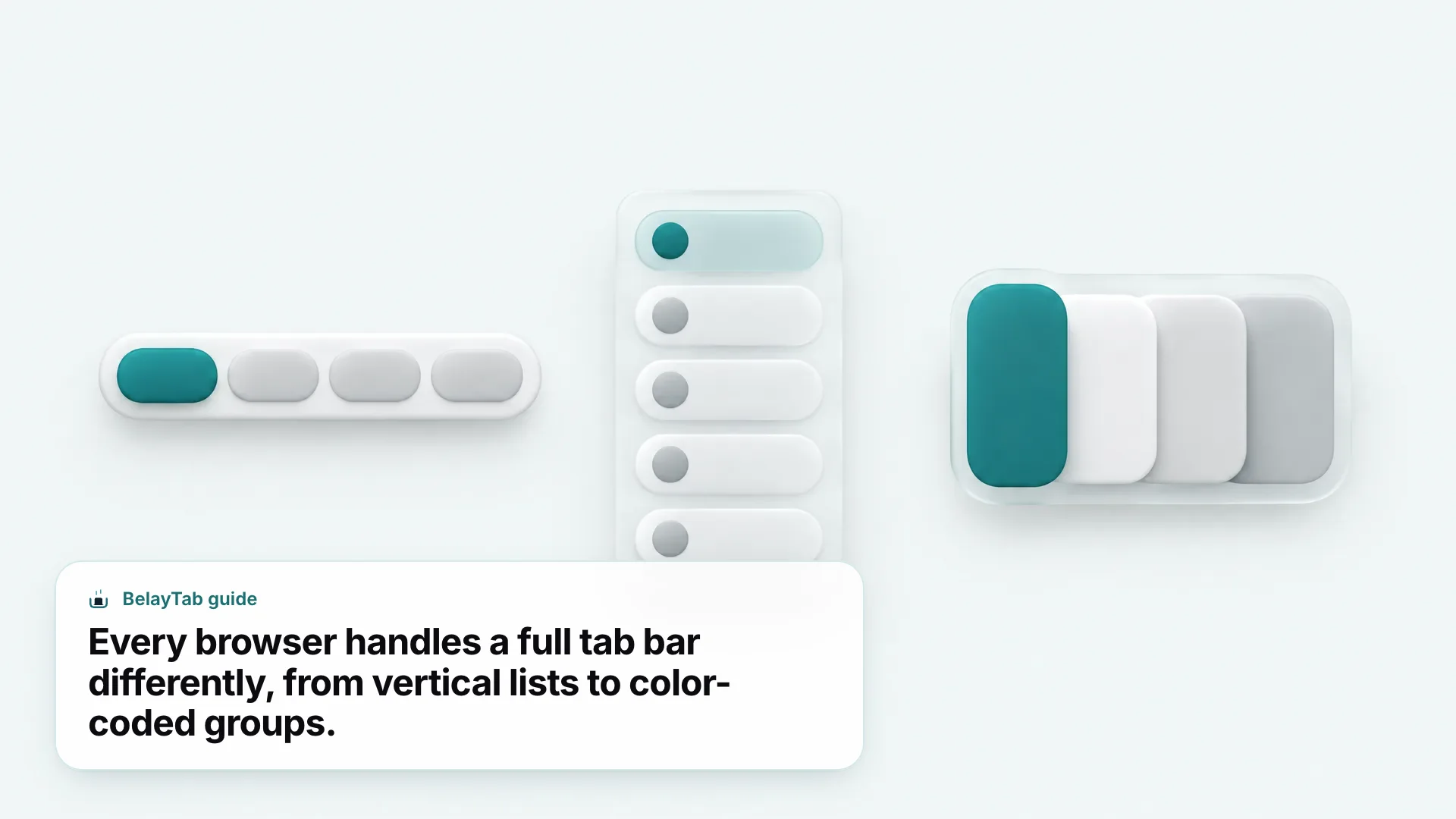
Tab handling in Chrome centers on Tab Groups, which let you label and color-code tabs to keep projects apart, plus a vertical tabs layout that lists them down the side of the window instead of squeezing them into a horizontal strip. When memory gets tight, Chrome’s Memory Saver mode can free up to 148 MB by putting inactive tabs to sleep.
Chrome’s newest addition is Gemini, built into the browser as what Google calls “your partner in figuring it all out”. It can summarize pages, help you get things done on a site, generate images with Nano Banana, and save prompts as reusable Skills. Enhanced Safe Browsing and a Safety Check tool round out its security features.
Chrome’s cookie blocking isn’t automatic. Chrome blocks third-party cookies by default only in Incognito mode. In regular browsing, you have to turn on “Block third-party cookies” yourself, per Google’s help page on Chrome’s cookie settings.
If Chrome’s extension library and Google integration outweigh that trade-off for you, it’s a good browser to start with. Full details on how it handles tabs specifically live on the Chrome browser page, and Chrome’s official feature page has the rest.
Is Microsoft Edge Good for Multitasking and Organization?
Edge is good for multitasking if you regularly juggle several projects in the same browser window. Workspaces let you keep separate sets of tabs organized by task, each with its own color so you can tell them apart at a glance, per Microsoft’s own features page.
Split screen is Edge’s other standout: instead of switching between two tabs, it displays them side by side within a single tab, which is handy for comparing a spreadsheet against an email or following a tutorial while you work in another window.
Edge leans hardest into AI of any browser on this list. Copilot in Edge summarizes pages, and a “Browse with Copilot” mode can complete tasks for you inside the window. Copilot Vision lets you ask questions aloud about what’s on your screen, and the browser remembers context between sessions for personalization.
Connectors need your permission. Copilot’s deeper features, like pulling from your emails or calendar, depend on which connectors you’ve linked. It isn’t something Edge turns on just because you’re signed in.
On privacy, Edge offers InPrivate browsing, an Enhanced security mode, Microsoft Defender SmartScreen, and a scareware blocker, all named directly on Microsoft’s features page. It’s tied to a Microsoft account rather than a Google one, which matters if your work already runs on Microsoft 365. Since Edge shares Chrome’s Blink engine underneath, most of what changes between them is the layer on top: Workspaces instead of Tab Groups, Copilot instead of Gemini. If you’re deciding between the two, our Chrome vs Edge comparison goes deeper, and the Edge browser page has the full picture.
Why Do People Choose Firefox for Privacy?
People choose Firefox because it blocks trackers automatically, without asking you to find a setting first. Mozilla’s own features page states that “Firefox blocks trackers automatically and protects your privacy by default,” and its Total Cookie Protection keeps cookies from following you across sites.
That default-on approach is the opposite of Chrome’s, where third-party cookie blocking only kicks in inside Incognito mode. If you’d rather not think about privacy settings at all, Firefox removes that decision for you from the first launch.
Firefox runs on Gecko, not Blink, which means it’s built by a different team from scratch rather than forked from Chromium like most of the rest of this list. Tab Groups exist here too, described on Mozilla’s page as a way to “organize your open tabs by project, mood, or task.”
Firefox skips a single branded AI assistant. Instead, it offers what Mozilla calls the ability to “choose your AI tools — access multiple AI chatbots from one place, without being locked into a single provider.” That’s a deliberate contrast to Gemini and Copilot: less baked-in intelligence, more room to plug in whichever chatbot you already trust. Add-ons come through addons.mozilla.org rather than the Chrome Web Store, and Firefox syncs through a Firefox Account. See the Firefox browser page or Firefox’s own features page for more.
Is Safari the Best Browser for Mac and iPhone?
Safari is the strongest choice if every device you own is made by Apple. It syncs passwords, bookmarks, history and tabs through iCloud, per Apple’s own Safari page, so a tab you open on your Mac shows up on your iPhone without any setup.
Tab Groups in Safari can be named, edited, and switched between across devices, and Apple’s Profiles feature separates history, extensions, Tab Groups, favorites and cookies for different parts of your life, like work and personal browsing kept apart in the same app.
Privacy runs on Intelligent Tracking Prevention, which Apple describes as using “on-device intelligence to help prevent cross-site tracking,” alongside Private Browsing and a Privacy Report that shows what’s been blocked. None of that requires digging through settings first.
Safari has one limitation worth knowing if you rely on extensions: Apple’s platform doesn’t let extensions read a window’s recently closed tabs the way Chrome and Edge do, and Safari doesn’t expose tab groups through the extension APIs either. That’s an Apple restriction, not a gap any particular extension can code around.
There’s no built-in AI assistant mentioned on Safari’s official features page, unlike Chrome’s Gemini or Edge’s Copilot, so if an in-browser AI matters to you, look elsewhere. Extensions for Safari come through a dedicated category on the App Store rather than a separate extension store. If you split your time between a Mac and a Windows PC, Safari’s iCloud-only sync becomes the weak point. Full details live on the Safari browser page.
Is Brave Actually More Private Than Chrome?
Brave is more private than Chrome by default, mainly because its ad and tracker blocking is on from the first launch instead of buried in a settings menu. Brave Shields blocks third-party ads across video, search and social platforms, and also blocks cookie-consent pop-ups automatically, per Brave’s own site.
Firefox and Brave are both good browsers if tracker blocking by default matters most to you. Under the hood, Brave is “built off the open-source Chromium Web core,” the same Blink engine Chrome uses, which means extensions and general behavior feel familiar if you’re coming from Chrome. Brave is free to use, with optional paid add-ons like a Firewall-plus-VPN bundle and a premium tier of its Talk video-calling feature.
Brave Search is the default search engine, and Brave describes it as delivering results “without user profiling,” a different approach from Google’s ad-supported model. If you’d rather not switch search engines along with your browser, you can point Brave at a different provider in settings.
Brave Rewards is opt-in: turn it on and you can view privacy-protecting ads in exchange for a cryptocurrency called BAT, but you never need to participate to get Shields’ blocking.
Some Shields defaults aren’t fully public. Brave’s site doesn’t detail Shields’ exact fingerprinting and script-blocking defaults, so check your own settings if granular control matters to you.
Brave’s page also references an AI answers feature called Ask Brave, along with a broader “Browser AI” panel. For the full breakdown, visit the Brave browser page.
What Does Opera Offer That Other Browsers Don’t?
Opera’s standout feature is built-in messaging: its sidebar integrates Slack, Discord, WhatsApp, Telegram and Messenger, plus social apps like Instagram, X, Bluesky and YouTube, so you can reply to a message without opening a separate tab.
For tab organization, Opera groups related tabs into what it calls Tab Islands, described as a way to “save space, keep organized, and switch contexts easily.” Workspaces sit a level above that, letting you organize whole sets of tab groups by project.
Replace a second window, not just a tab. If you already use Slack or Discord all day, Opera’s sidebar can stand in for a second window entirely, no app-switching required.
Vertical tabs show full page titles down the side of the window, and Opera adds small touches like Tab Emojis and a Search in Tabs function for finding a buried tab by keyword. Opera is Chromium-based, free, and bundles a free VPN and a free ad blocker directly into the browser, alongside general tracker blocking, according to Opera’s own features page.
On AI, Opera offers what it calls “Chat and create for free with built-in Opera AI,” an AI Image Generator, and a Browser AI panel that can reference outside models like ChatGPT and Gemini. If you send a lot of messages while you browse and don’t want a separate app open, Opera’s sidebar is a genuine difference from the rest of this list, not just a rebrand of a Chromium feature. See the Opera browser page for more.
Is Vivaldi Worth Switching To?
Vivaldi is worth switching to if you’re the kind of person who never closes a tab and wants the browser to manage that for you. It’s a great browser for tab hoarders specifically, thanks to a few features working together.
Tab Stacking groups related tabs in what Vivaldi calls “two-level Tab Stacks,” Tab Tiling opens tabs in a split-screen view so you can see several pages at once, and Workspaces organize your tabs and stacks into broader categories.
Tab Hibernation puts tabs to sleep until you need them again — Vivaldi’s built-in answer to the memory problem every tab hoarder eventually runs into. Hibernation-style features like this manage tabs while the browser session continues; they aren’t designed to bring tabs back after a full crash or a force-quit.
Vivaldi runs on Chromium’s Blink engine and explicitly supports Chrome extensions: “Bring your favorite Chrome extensions with you. They work great in Vivaldi too,” according to Vivaldi’s features page. That means switching from Chrome doesn’t mean giving up your existing extension setup.
Beyond tabs, Vivaldi bundles a Notes app, Mail client, Calendar and Feed Reader directly into the browser, along with a built-in Ad Blocker, Tracker Blocker, Password Manager, Proton VPN integration and a cookie-notice hider. It’s a heavier browser than Chrome in terms of built-in features, by design. Vivaldi runs on desktop (Windows, Mac, Linux), Android, iOS, and even has an Automotive variant. There’s no official built-in AI assistant confirmed on its features page, which fits Vivaldi’s positioning as a browser built by browser enthusiasts. Full details are on the Vivaldi browser page.
What Happened to Arc, and Should You Use Dia Instead?
Arc is now in maintenance mode. The Browser Company’s own site states plainly that “Arc receives Chromium updates only. For active security patches and enterprise-grade protection, download Dia instead,” while Arc itself remains downloadable for Windows and Mac.
That’s a meaningful distinction if you rely on Arc daily: Chromium updates keep the underlying engine current, but they’re not the same as the dedicated security patches Arc used to ship on its own.
Dia is The Browser Company’s designated successor, and it’s publicly downloadable rather than waitlist-only. It offers a 14-day free trial of a feature set called Better Days, and per Arc’s own site, Dia receives active weekly security updates and carries SOC 2 certification. Dia’s AI features go further than most browsers on this list: a Morning Brief, a cross-tool Synthesis and Context Search feature, and Deck Generation are all named on its own site.
Dia’s supported platforms aren’t confirmed beyond what its own site states, so check before assuming it matches Arc’s Windows-and-Mac availability. Read more in Arc Browser in 2026: Status, Alternatives and Moving Your Tabs, which covers exactly how to carry your tabs over if you switch.
How Do You Pick the Best Browser for Your Situation?
The best browser to use is whichever one matches how you work, not whichever has the most features on paper. The cards below map common situations to a starting point.
- Team Google Workspace. Chrome’s account sync and Gemini integration fit naturally if you already live in Google’s apps.
- Privacy first, no setup. Firefox and Brave both block trackers by default, so you get protection without hunting through settings.
- All-Apple household. Safari’s iCloud sync carries tabs, passwords and Tab Groups across your Mac, iPhone and iPad automatically.
- Heavy multitaskers. Edge’s Workspaces and split screen, or Opera’s Tab Islands, keep dozens of tabs sorted by project.
- Tab hoarders. Vivaldi’s Tab Stacking, Tiling and Hibernation are built for people who never close a tab.
- Leaving Arc. Dia is The Browser Company’s active successor, with weekly security updates Arc no longer receives.
Whichever you land on, switching browsers is safer than it feels. Bookmarks export cleanly from every browser on this list, and most support signing in with an account to carry settings across machines. What doesn’t move on its own is your open tabs — the forty research tabs you haven’t bookmarked yet, or the window with a half-finished order form still sitting open.
That’s the gap BelayTab is built for. It’s not a browser; it’s a tab-safety layer that runs as an extension in Chrome, Edge, Brave, Opera, Vivaldi, Arc, Firefox and Safari on Mac, so switching between any of them never costs you a tab.
- Save your current tabs. Press Ctrl + Shift + S (Cmd + Shift + S on Mac) to save your open window as a named session, tab groups, pinned order and all.
- Install the new browser, then BelayTab. Add BelayTab from that browser’s extension store.
- Bring the session over. Export it as a URL list, CSV or JSON from Import & Export, or restore it straight from BelayTab’s Recovery screen if you’ve turned on Sync.
- Restore into a new window. Your tabs open back up in batches, groups and order intact, right where you left off.
Start with BelayTab’s download page if you’re mid-comparison right now and don’t want to lose the tabs you already have open while you decide.