






The Arc browser still works in September 2026, but it is in maintenance mode. As of September 2026, arc.net says Arc “receives Chromium updates only” and points you to Dia, a newer browser from the same company, for active security patches. The Browser Company said in May 2025 that it is not trying to shut Arc down. If you are thinking of leaving, the part that matters most is your tabs: Arc has no full built-in export, so save your tabs, pinned tabs and Spaces first.
This guide covers what Arc is, what its maker has actually said, which browsers people move to, and step by step how to take your tabs with you.
Quick Answer: What’s Going On With Arc?
Arc is still available and still gets Chromium updates, but new feature work has moved to Dia. Here is the short version, with every status claim checked against The Browser Company’s or Atlassian’s own pages as of September 2026.
| Question | Short answer (as of September 2026) | Source |
|---|---|---|
| Can I still download Arc? | Yes, for Mac and Windows | arc.net |
| Is Arc still updated? | Chromium updates only | arc.net |
| Is Arc being shut down? | The company says it is not trying to shut Arc down | Letter to Arc members, May 26, 2025 |
| Is Arc getting new features? | The company says it is not actively developing the core product like it used to | Same letter |
| Who makes Arc? | The Browser Company of New York | arc.net |
| Who is acquiring The Browser Company? | Atlassian announced an agreement to acquire it on September 4, 2025 | Atlassian announcement |
| Can I export all my Arc tabs? | No full built-in export; use a workaround or an extension | Arc Help Center |
Dates matter here. Browser plans change. Everything in this post about Arc’s status is dated and sourced to the company’s own pages. If you are reading this long after September 2026, check arc.net for the current notice.
What Is the Arc Browser?
Arc is a desktop web browser made by The Browser Company of New York, built on Chromium, the same open-source engine behind Chrome. It became known for putting tabs in a sidebar instead of across the top, and for organizing browsing into Spaces.
A few of Arc’s ideas explain why people care so much about leaving it carefully:
- The sidebar. Tabs run down the left side, closer to a file list than a tab strip.
- Spaces. Separate areas for work, personal or projects, each with its own tabs.
- Pinned tabs and Favorites. Tabs you want to stay put live at the top of the sidebar.
- Chrome extensions. Because it is Chromium-based, Arc can run extensions from the Chrome Web Store.
People also search for it as the “arc web browser” or, by mistake, the “arch web browser.” It is spelled Arc, and the official site is arc.net. We keep a separate page on using BelayTab with Arc if that is what brought you here.
Is Arc Browser Still Being Developed?
No, not in the sense of new features. The Browser Company says Arc is maintained, not actively developed.
In its Letter to Arc members, published May 26, 2025, the company wrote that “we are not actively developing the core product experience like we used to.” In the same letter it said, “we never stopped maintaining Arc. We do regular Chromium upgrades, fix security vulnerabilities, related bugs, and more.”
The current wording on arc.net, as of September 2026, is narrower:
FYI: Arc receives Chromium updates only. For active security patches and enterprise-grade protection, download Dia instead.
So the practical picture, as of September 2026:
- Arc still opens, browses and runs your extensions.
- It gets updates to the underlying Chromium engine.
- New features and security work beyond that are going into Dia.
If you use Arc for work. Arc’s own site says to use Dia for “active security patches and enterprise-grade protection.” If your company has security requirements, take that statement to whoever manages your devices before deciding to stay.
Is Arc Being Shut Down?
No shutdown has been announced as of September 2026. The Browser Company wrote in May 2025: “we’re not trying to shut Arc down. We know you use it and rely on it.”
That is the company’s own position, and it is worth reading it plainly: there is no end date, but there is also no promise of new features. Arc is still downloadable for Mac and Windows from arc.net.
The same letter answered a common question about open source. The company said it would love to open-source Arc someday but “can’t do that meaningfully without also open-sourcing ADK,” its internal toolkit, which it described as “still core to our company’s value.” So, as of September 2026, there is no open-source Arc.
Who Owns Arc Browser Now?
Arc is made by The Browser Company of New York, which Atlassian agreed to acquire. On September 4, 2025, Atlassian announced that it had “entered into an agreement to acquire The Browser Company of New York,” describing the team as the makers of Dia and Arc.
Atlassian’s Q1 fiscal 2026 shareholder letter later referred to “our acquisition of The Browser Company” and described Dia as “built for enterprises for the AI era.”
What Atlassian’s announcement is about is Dia. It focuses on making Dia a browser for knowledge work and does not set out a plan for Arc. We have not found a primary source from Atlassian or The Browser Company announcing a new plan for Arc as of September 2026, so we are not going to guess at one.
What Is Dia, and Is It the “New Arc”?
Dia is The Browser Company’s newer browser, and the company presents it as the successor to Arc. Arc’s own homepage calls Dia “the next evolution of Arc.”
The May 2025 letter is careful about what that means. It says the team found “shortcomings in Arc that were too large to tackle retroactively, and that building a new type of software required a new type of foundation.” In other words, Dia is a separate browser, not Arc with a new name. Your Arc setup does not simply turn into a Dia setup.
What that means for you:
- If you loved Arc because of its makers, Dia is where their work is going.
- If you loved Arc because of the sidebar and Spaces, check Dia against that list yourself on diabrowser.com before assuming it matches.
- Either way, your tabs will not move by themselves.
Why Are People Looking for Arc Alternatives?
Most people are leaving because Arc is no longer getting new features, not because it stopped working. The company’s own wording (“Chromium updates only”) gives people a reason to plan ahead.
Common reasons include:
- Security at work. Arc’s site recommends Dia for active security patches, which matters on managed or work machines.
- No new features. If something bugs you in Arc today, it is unlikely to be fixed with a new feature.
- Planning for the future. Some people prefer to move on their own schedule rather than wait.
- Work software choices. Some teams standardize on one browser for everyone.
None of these mean you have to leave today. Arc still runs. But if you are going to switch at some point, the best time to save your tabs is while everything is still open and working.
What Are the Best Arc Browser Alternatives?
The best alternative depends on what you liked about Arc. The table below sticks to facts that don’t change often; check each vendor’s site for current features and platforms.
| Browser | Made by | Engine | Might suit you if… | BelayTab works in it? |
|---|---|---|---|---|
| Dia | The Browser Company | Not stated on its homepage | You want the Arc team’s newest browser | Not on BelayTab’s supported list |
| Chrome | Chromium | You want the most widely used option and the Chrome Web Store | Yes | |
| Edge | Microsoft | Chromium | You want built-in vertical tabs and Microsoft account sync | Yes |
| Brave | Brave Software | Chromium | You want privacy settings on by default | Yes |
| Vivaldi | Vivaldi Technologies | Chromium | You want deep layout and tab customization | Yes |
| Zen | Zen project | Firefox-based | You want an Arc-style sidebar on a non-Chromium engine | Not on BelayTab’s supported list |
| Safari | Apple | WebKit | You use Mac and iPhone and want Apple’s own browser | Yes, on Mac (no tab groups) |
| SigmaOS | SigmaOS | Check its site | You want another workspace-focused Mac browser | Not on BelayTab’s supported list |
A few honest notes:
-
Chromium-based browsers (Chrome, Edge, Brave, Vivaldi) run the same kind of extensions Arc does, so moving extensions is usually simplest there.
-
Zen and Safari use different engines, so some extensions may not have a version for them.
-
We haven’t listed prices, user numbers or ratings, because they change and aren’t always published.
-
Closest to Arc’s team. Dia, from The Browser Company.
-
Closest to Arc’s sidebar. Browsers with vertical tabs, such as Edge, Vivaldi or Zen. See our guide to Chrome vertical tabs too.
-
Least change for extensions. Chrome, Edge, Brave or Vivaldi, all Chromium-based.
-
Apple-only setup. Safari on Mac, iPhone and iPad.
BelayTab is not on this list as a browser. BelayTab is an extension, not a browser, so it isn’t an Arc alternative. Its job is to keep your tabs safe in Arc and help you carry them to whichever browser you choose.
Can I Export My Tabs and Pinned Tabs From Arc?
Not with a full built-in export, as of September 2026. Arc’s Help Center says exports are something the team has discussed for future versions, and it offers a manual workaround for pinned and Favorite tabs instead.
Arc’s Built-In Workaround
This method, described in Arc’s Help Center, copies links as plain text. It works, but you rebuild everything by hand in the new browser.
- Make a Pinned Folder. In Arc’s sidebar, put the pinned tabs and Favorites you want to keep into a Pinned Folder.
- Copy the links. Right-click the Pinned Folder and choose Copy All Links.
- Paste them somewhere safe. Paste into a document or note and save it.
- Repeat for each Space. Each Space has its own pinned tabs, so do this once per Space.
What this does not give you: tab titles, which tabs were in which window, tab order across Spaces, or any of your regular open tabs. It is fine for 20 links. It is slow for 200.
What About Bookmarks, Logins and History?
Other browsers’ importers are the place to check for these. For example, Chrome can import bookmarks from an HTML bookmarks file through its import bookmarks and settings option. Whether a given browser can read Arc’s data directly varies, so check your new browser’s own help pages before you rely on it.
How Do I Move My Arc Tabs to Another Browser?
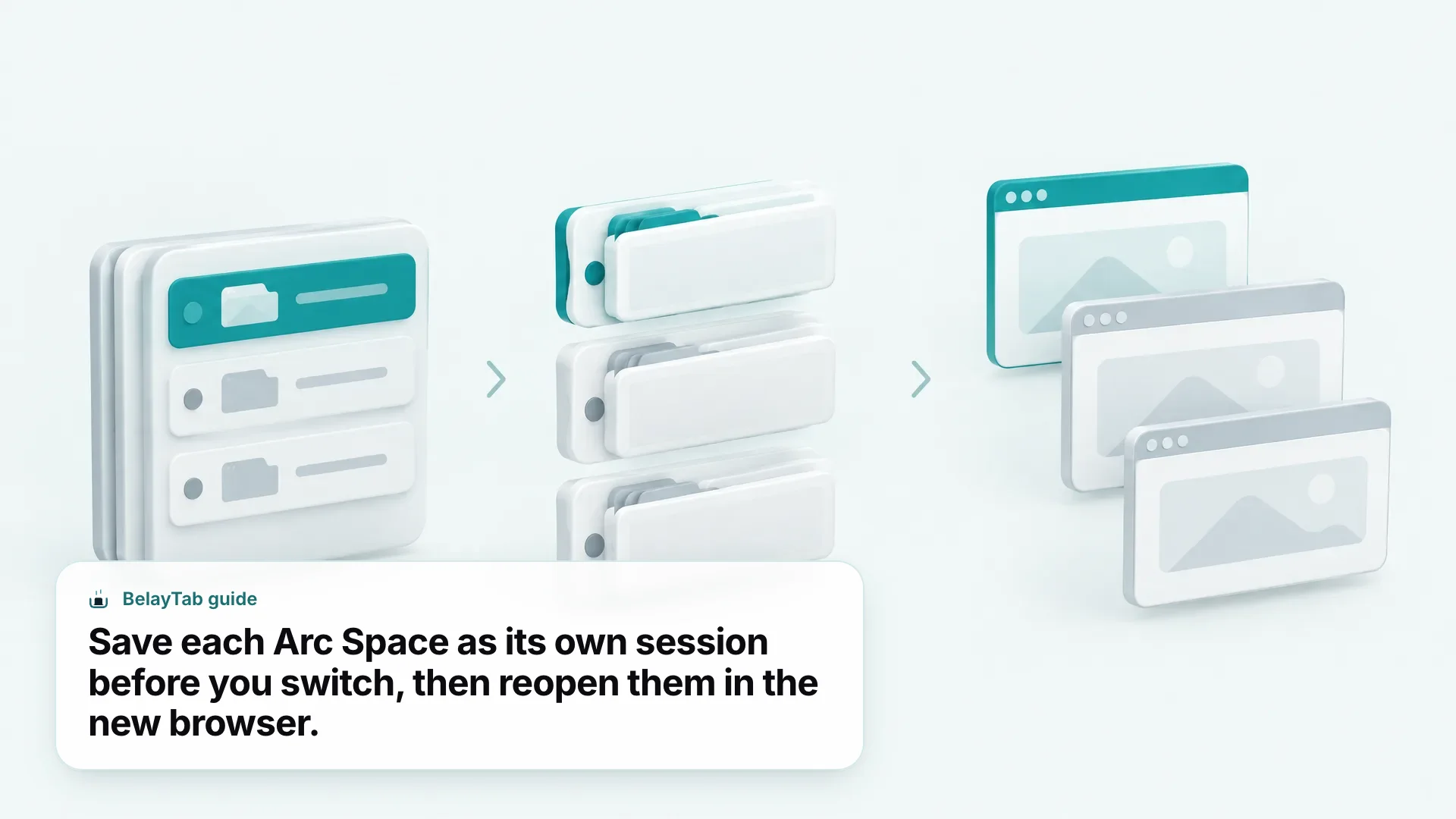
The most complete way is to save your tabs in Arc with a session manager, export them to a file, and open that file in your new browser. BelayTab does this for free, and it runs in Arc because Arc supports Chrome extensions.
Step 1: Save Everything in Arc
- Install BelayTab in Arc. Get it from the BelayTab download page. No account needed.
- Open what you want to keep. Open the pinned tabs and Favorites you want to carry over, so they are open tabs in the window. BelayTab saves tabs that are open.
- Save each Space as a session. Switch to a Space and press Cmd + Shift + S (Ctrl + Shift + S on Windows). Name the session after the Space, such as “Work” or “Research.”
- Repeat for every Space. One named session per Space keeps them separate, like they were in Arc.
- Check the list. Open BelayTab and confirm each session has the tabs you expect. Pinned tabs and tab order are kept.
Step 2: Export Your Sessions
BelayTab exports to four formats, all described on the import and export page:
| Format | Best for |
|---|---|
| HTML bookmarks | Importing into any browser’s bookmark manager |
| URL list | Importing back into BelayTab in the new browser, or pasting anywhere |
| CSV | Opening in a spreadsheet to sort or clean up |
| JSON | A complete backup file of your sessions |
Export at least the HTML bookmarks file and a URL list, and keep them outside the browser, for example in your Documents folder or cloud drive. The export guide walks through it.
Step 3: Open Your Tabs in the New Browser
- Install your new browser. Chrome, Edge, Brave, Vivaldi, Opera, Firefox and Safari on Mac all support BelayTab.
- Install BelayTab there. Use the same download page.
- Bring your sessions in. Import the URL list into BelayTab, or import the HTML bookmarks file into the new browser’s bookmark manager. If you turned on Sync, your sessions are already there when you sign in.
- Restore one session at a time. Open each session into its own window. Large sessions open in batches of 20 so the browser doesn’t choke.
If you want the details of restoring, the restore a session guide covers new-window versus current-window restores.
What Doesn’t Carry Over When You Leave Arc?
Your tabs can carry over; Arc-specific features can’t. It helps to know the difference before you start.
Can come with you:
- The web addresses of your open tabs, pinned tabs and Favorites (once they are open and saved).
- Tab titles and order, inside BelayTab sessions.
- Your grouping, if you saved one session per Space.
- Bookmarks, through an HTML bookmarks file.
Won’t come with you as-is:
- Spaces themselves, as an Arc feature. Other browsers use windows, tab groups or their own workspaces instead.
- Arc’s sidebar layout and any Arc-only features.
- Anything that lives only in a site’s own account, such as logged-in state. You’ll sign in again in the new browser.
A good way to rebuild Spaces is to restore each saved session into its own window, then turn it into a tab group if your new browser supports them. BelayTab keeps tab group names and colours when it saves in Chromium browsers.
How Do I Keep My Tabs Safe While I Still Use Arc?
Turn on automatic saving so your tabs are covered even before you decide to switch. BelayTab takes a snapshot of every open window every 5 minutes and whenever a window closes, with no setup.
That matters in Arc for the same reason it matters in any browser: tabs get lost to accidental closes, crashes and updates. With BelayTab installed you get:
- Automatic snapshots every 5 minutes and when a window closes.
- Version history, the last 20 versions of each session. Restoring never overwrites; it adds a version.
- A 30-day trash for sessions you delete.
- One Recovery screen that shows snapshots, deleted sessions, the browser’s recently closed windows and export files.
- A scheduled export file written to your Downloads folder, if you switch it on.
BelayTab can’t recover tabs from before it was installed, and it can’t stop a browser from crashing. It makes sure the tabs survive when it does. If you do lose tabs in Chrome after switching, our guides on restoring tabs in Chrome and reopening closed tabs cover the built-in options.
Should I Stay on Arc or Switch Now?
You don’t have to switch today, but you should save your tabs today. Arc still works, and The Browser Company says it isn’t trying to shut it down, as of September 2026.
Here’s a simple way to decide:
| Your situation | A reasonable move |
|---|---|
| Arc works well and you use it at home | Stay for now, but save your Spaces and turn on automatic snapshots |
| You use Arc on a work machine | Check with your IT team, since arc.net recommends Dia for enterprise-grade protection |
| You want the Arc team’s newest browser | Try Dia alongside Arc before you move everything |
| You want the most familiar browser | Move to a Chromium browser such as Chrome, Edge, Brave or Vivaldi |
| You want a sidebar on a different engine | Try Zen, and check your extensions have versions for it |
Whichever you choose, the order is the same: save your tabs, export them, then switch. Doing it in that order means nothing depends on Arc still opening later.